
Instructions
Your instructions, laid out ready to publish.
Upload your Studio file with its steps and submodels. BrickRender lays out every page and picks the clearest view for each step. Then you drag to perfect it.
Sign in with Google · Free during the beta · Nothing to install
Stop placing every step by hand.
Making instructions in Studio means placing every step, choosing every camera angle and fixing every page yourself. For a big MOC that is days of work before anyone can build it.
BrickRender starts you from a finished draft instead of a blank page. You spend your time on the few pages that need a human eye.
Built from your own steps
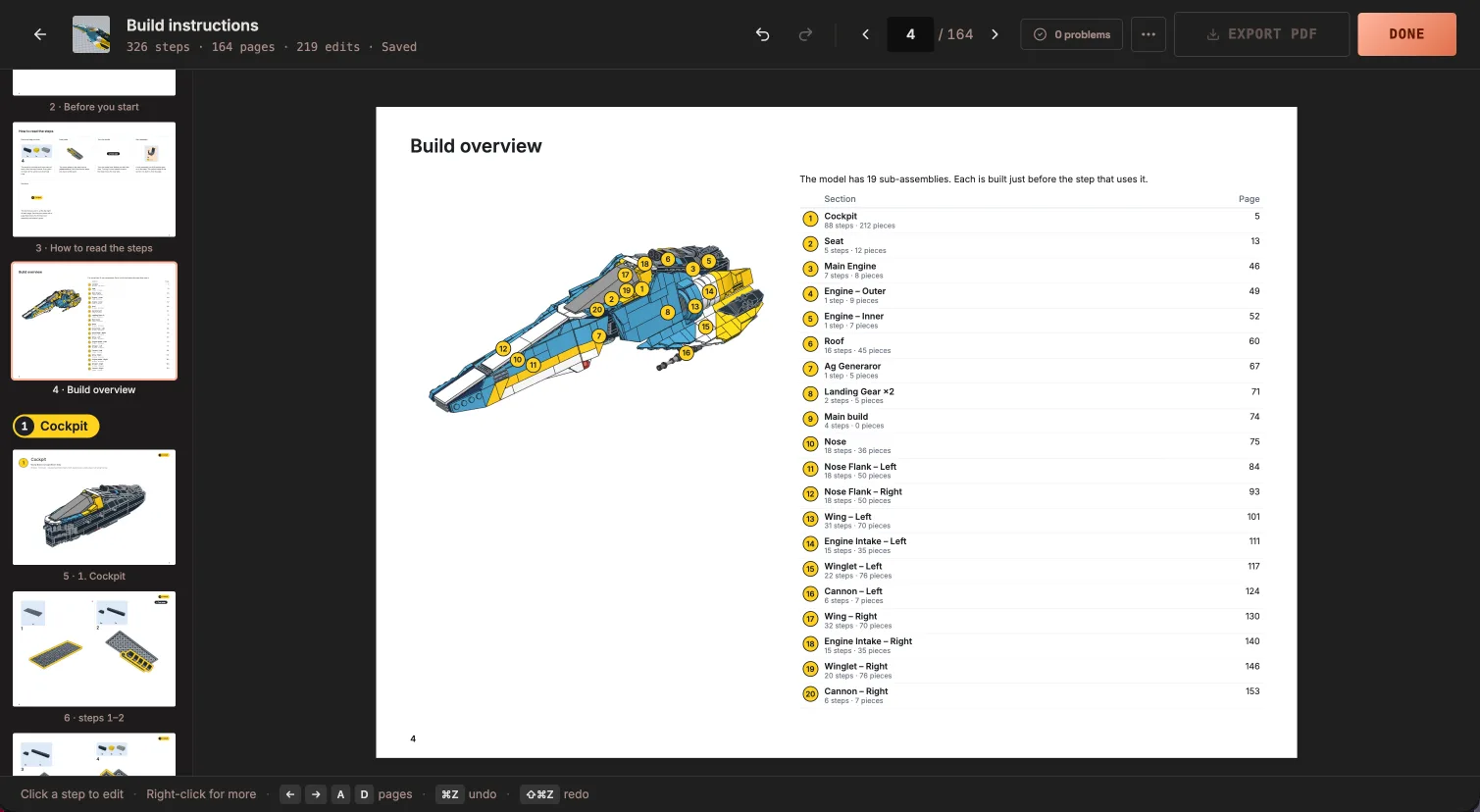
It follows the order you set in Studio. Each submodel becomes its own section, opening with a page that shows where it goes.
The clearest view for every step
Each view is chosen to show the new parts, and it holds steady while you work in one area, turning only when it has to.
Fix anything by dragging
Drag a part to another step. Turn, tilt or snap a view. Change how many steps sit on a page, or move a page break.
Finish it properly
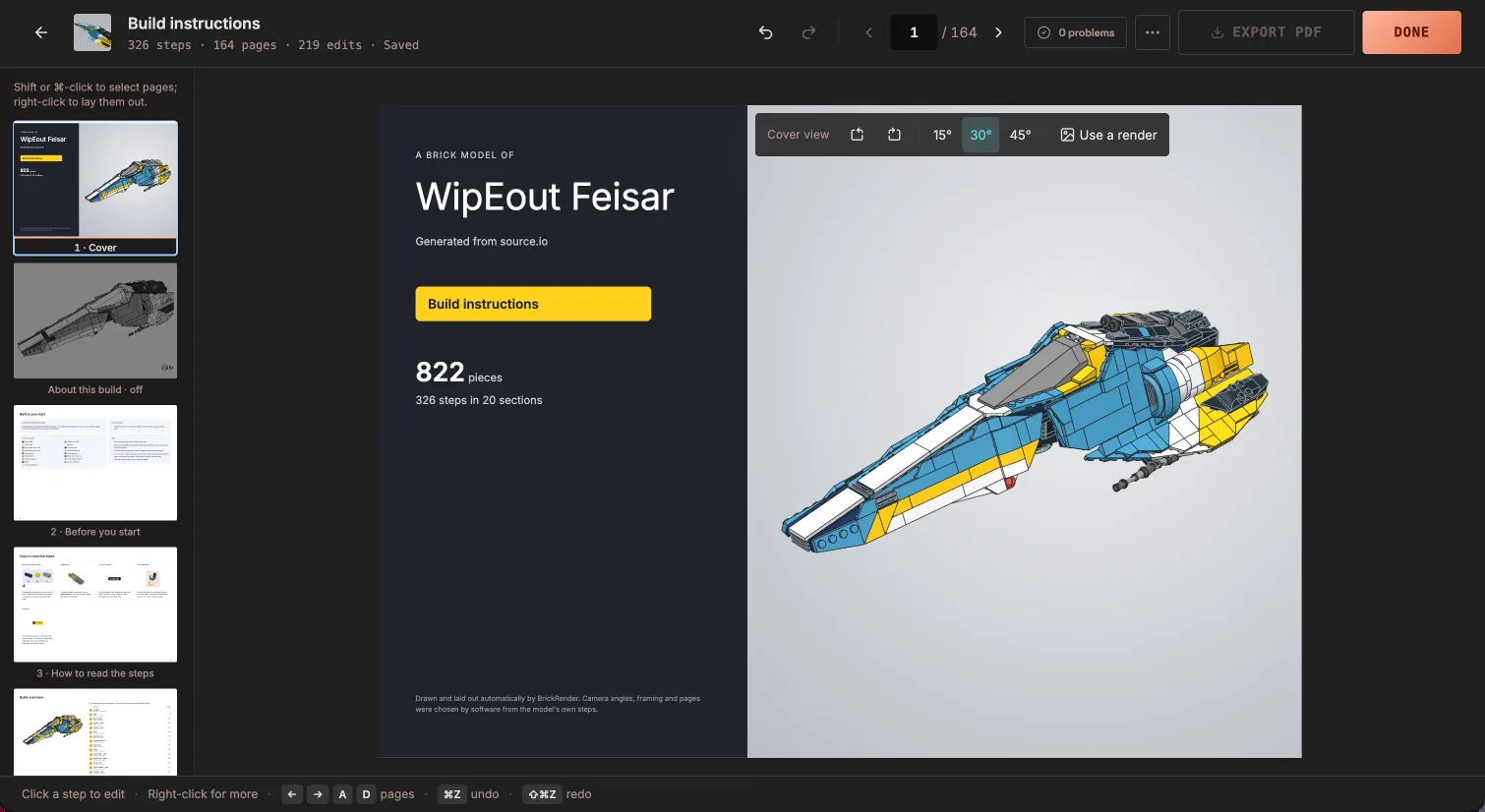
Put a render on the cover, add an About this build page, and edit any text right on the page.
Every page
Pages that read like the real thing.
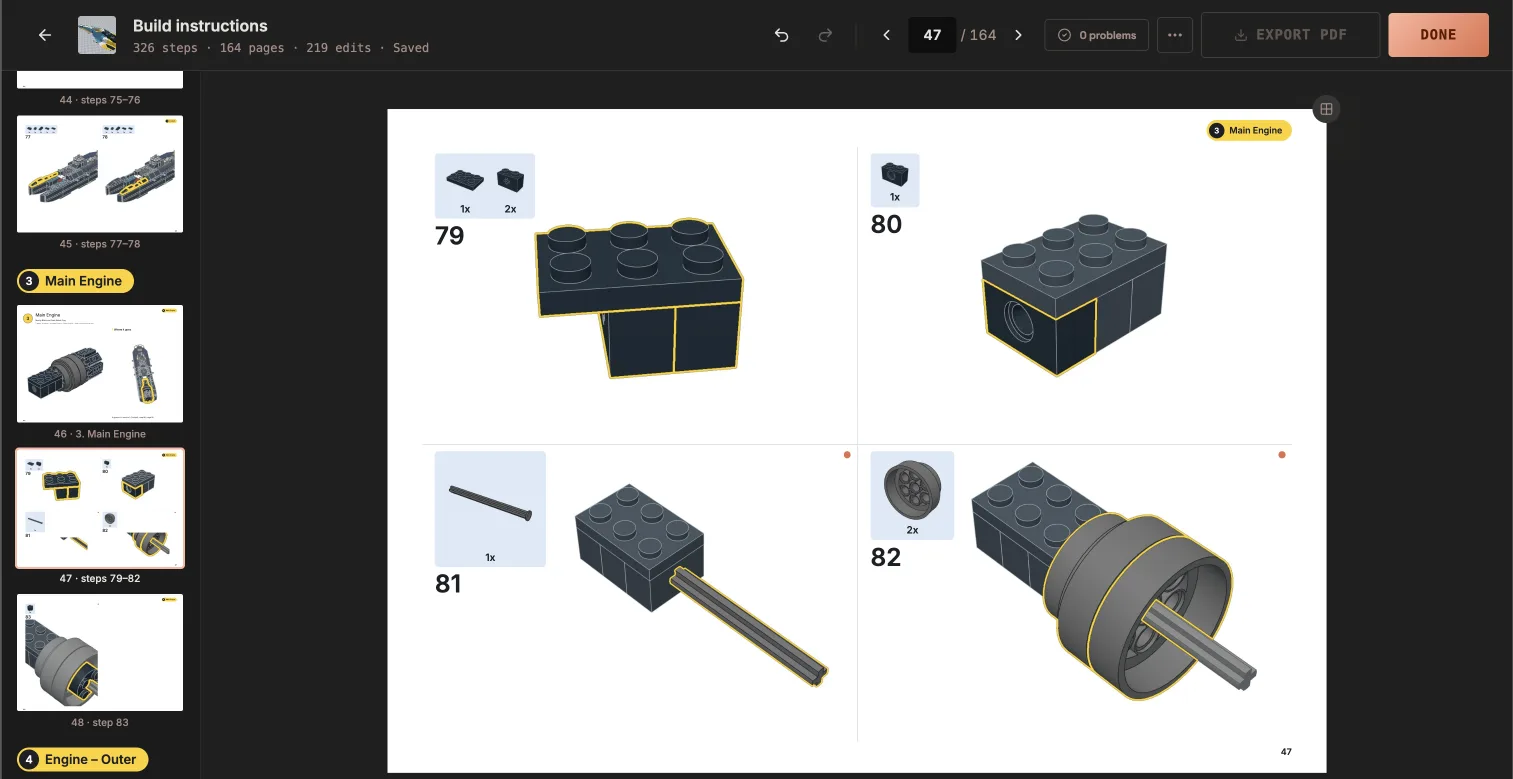
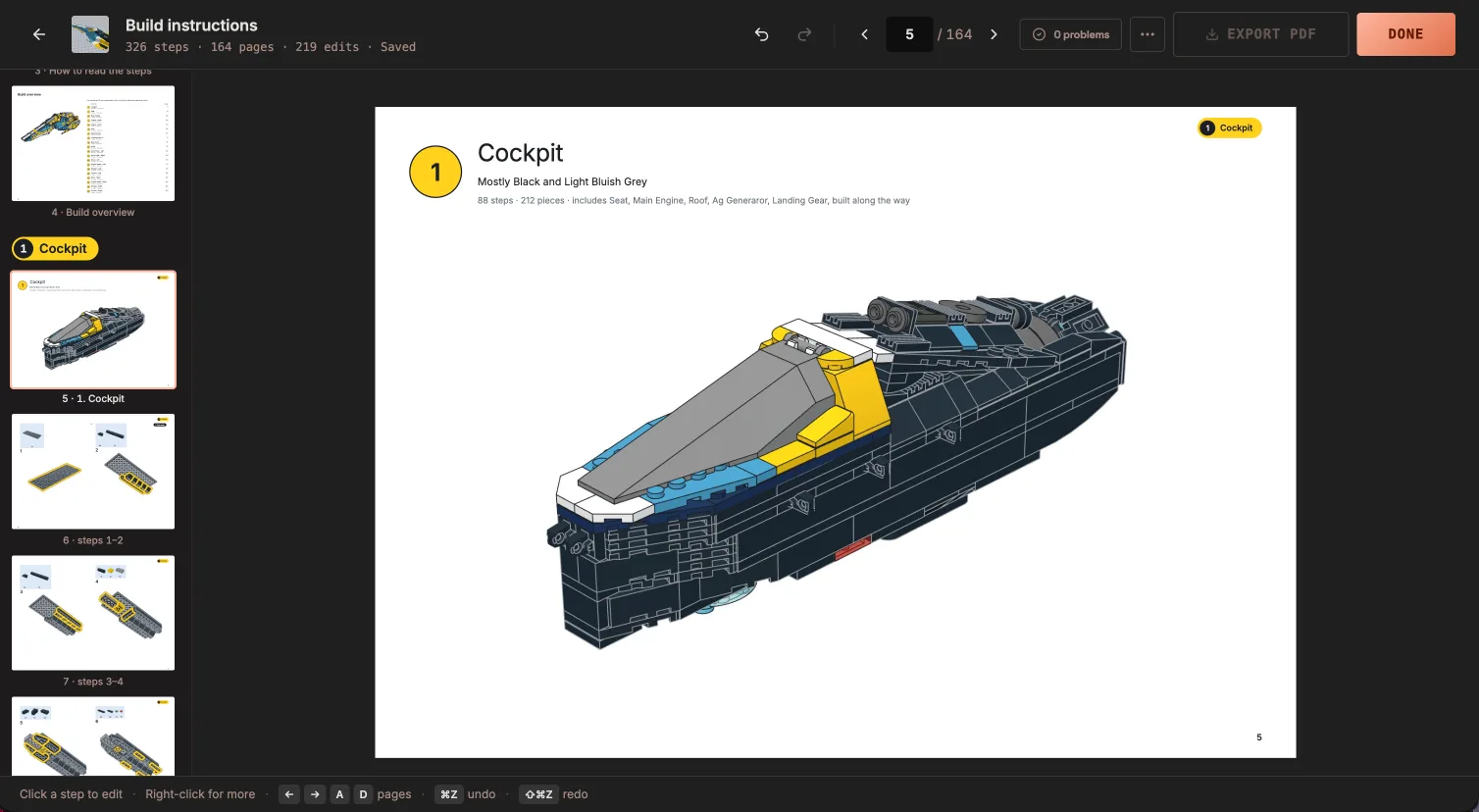
Cover, overview, a page to open every section, then the steps. All of it laid out for you, from the 822-piece model these screens come from.
The editor
Change anything, right on the page.
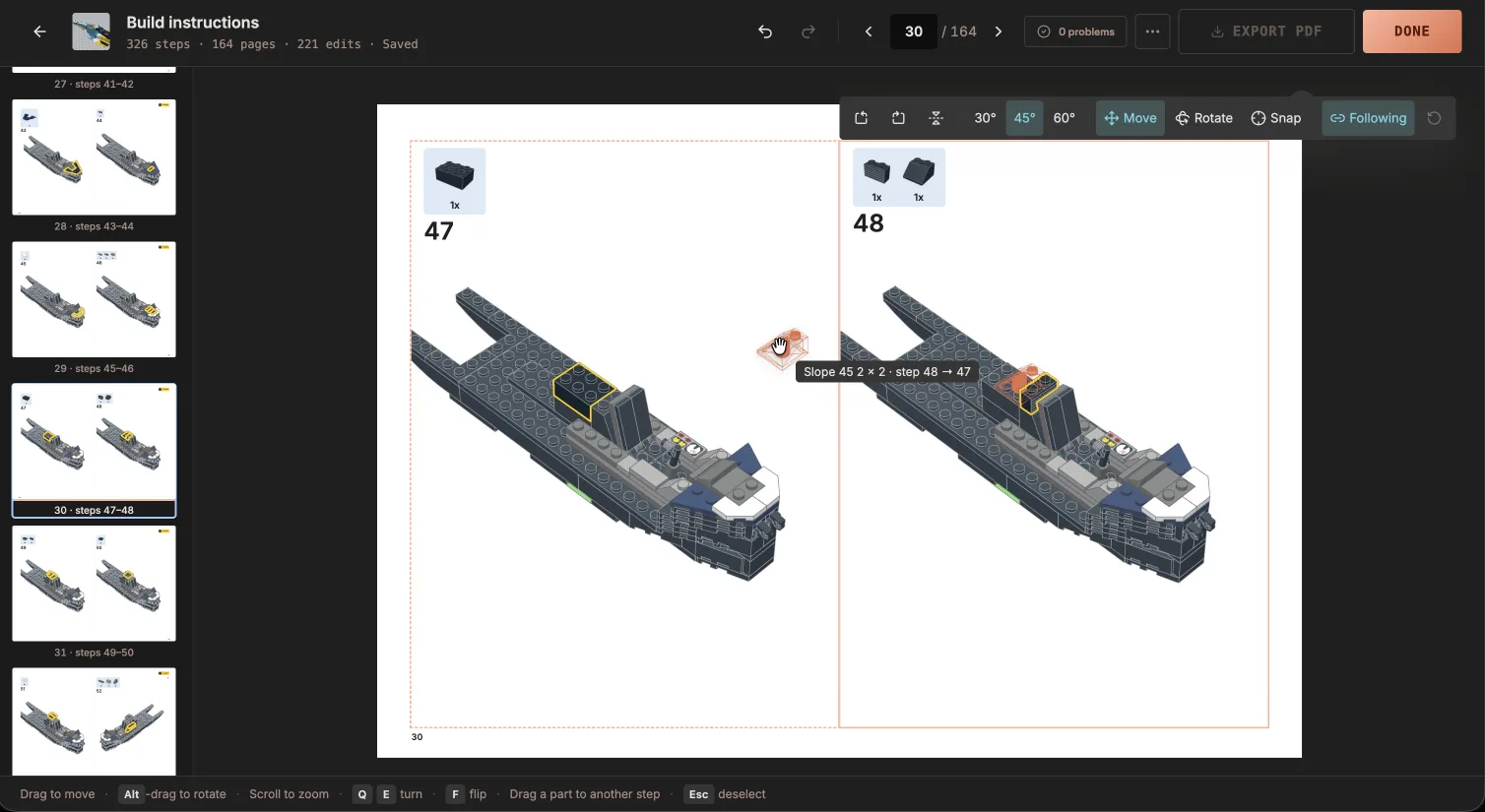
The editor is the page itself: select a picture and a toolbar appears on it. Your changes are kept, even when you come back later.
- 01Move a part to another step, or make a new step
- 02Turn a quarter-turn, tilt, turn over or snap to a standard view
- 03Orbit freely and zoom within the frame
- 041, 2 or 4 steps per page, or automatic
- 05Move page breaks
- 06Rename sections and edit their descriptions
- 07A render on the cover
- 08An optional About this build page
Export a PDF, ready to publish.
A4 landscape, with sharp text and full-quality pictures. Upload it to Rebrickable next to your MOC, sell it from your own site, or share it anywhere you post your builds. The instructions are yours.
Questions about instructions
What does my file need for instructions?
Steps and submodels, as you set them in Studio. BrickRender follows your order exactly and does not invent one: each submodel becomes its own section, and each step becomes a picture with its parts box.
Can I change what the instructions maker generates?
Yes, all of it. Move a part to another step, turn, tilt or snap any view, choose 1, 2 or 4 steps per page, move page breaks, and edit any text on the page. Your changes are kept.
Can I sell or share the instructions PDF?
Yes. The instructions are yours. Upload the PDF to Rebrickable next to your MOC, sell it from your own site, or share it however you like.
Spend your time designing, not doing layout.
Instruction books, renders and animations from one Studio file. Free during the beta.
Loading…