
Plates
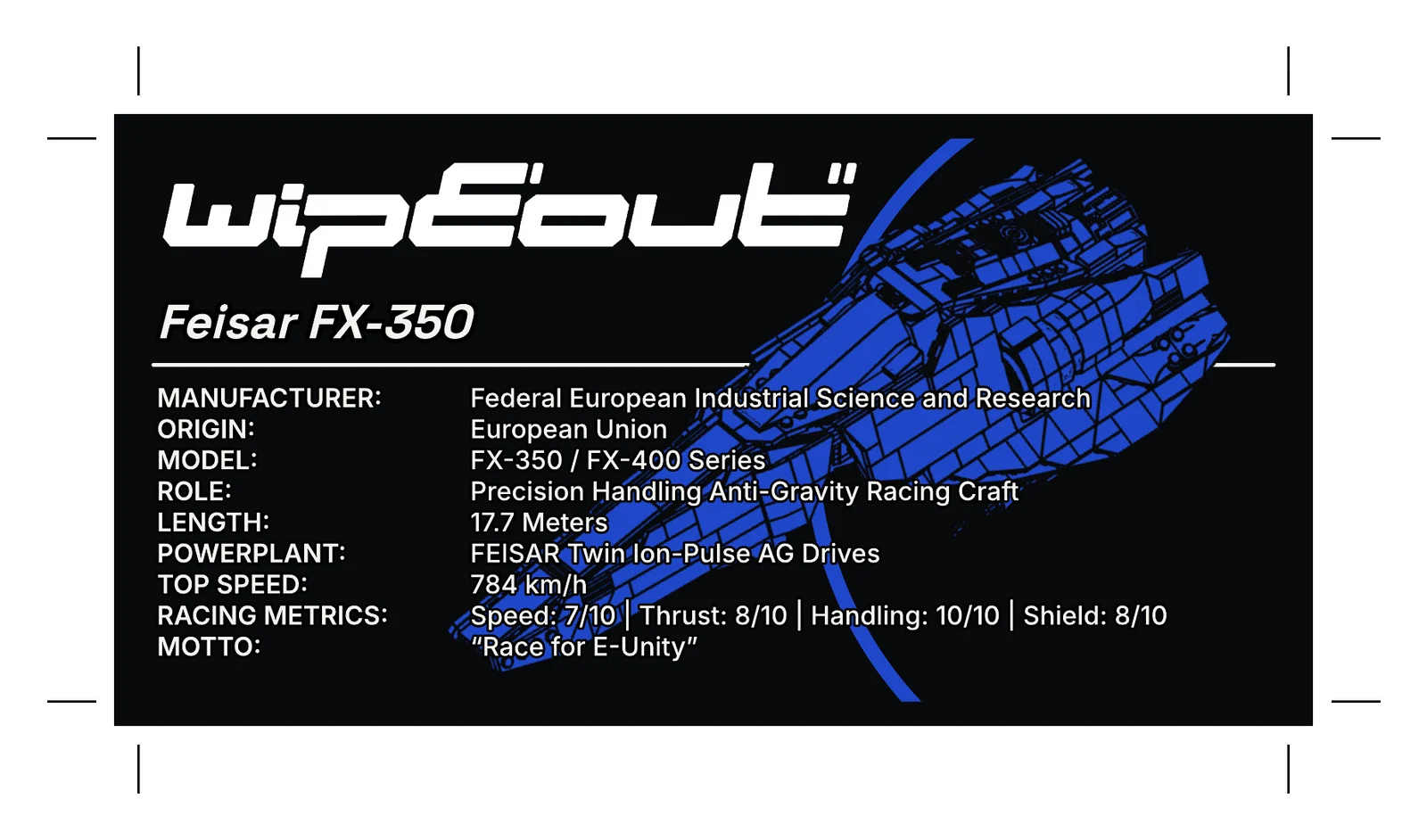
A display plate for your MOC, ready to print.
Design a UCS-style plate for your model's stand: its name, a drawing of the model and its stats, laid out at the real size of the tile. Then print it as a sticker.
Sign up with Google or email · Free credits to start · Nothing to install
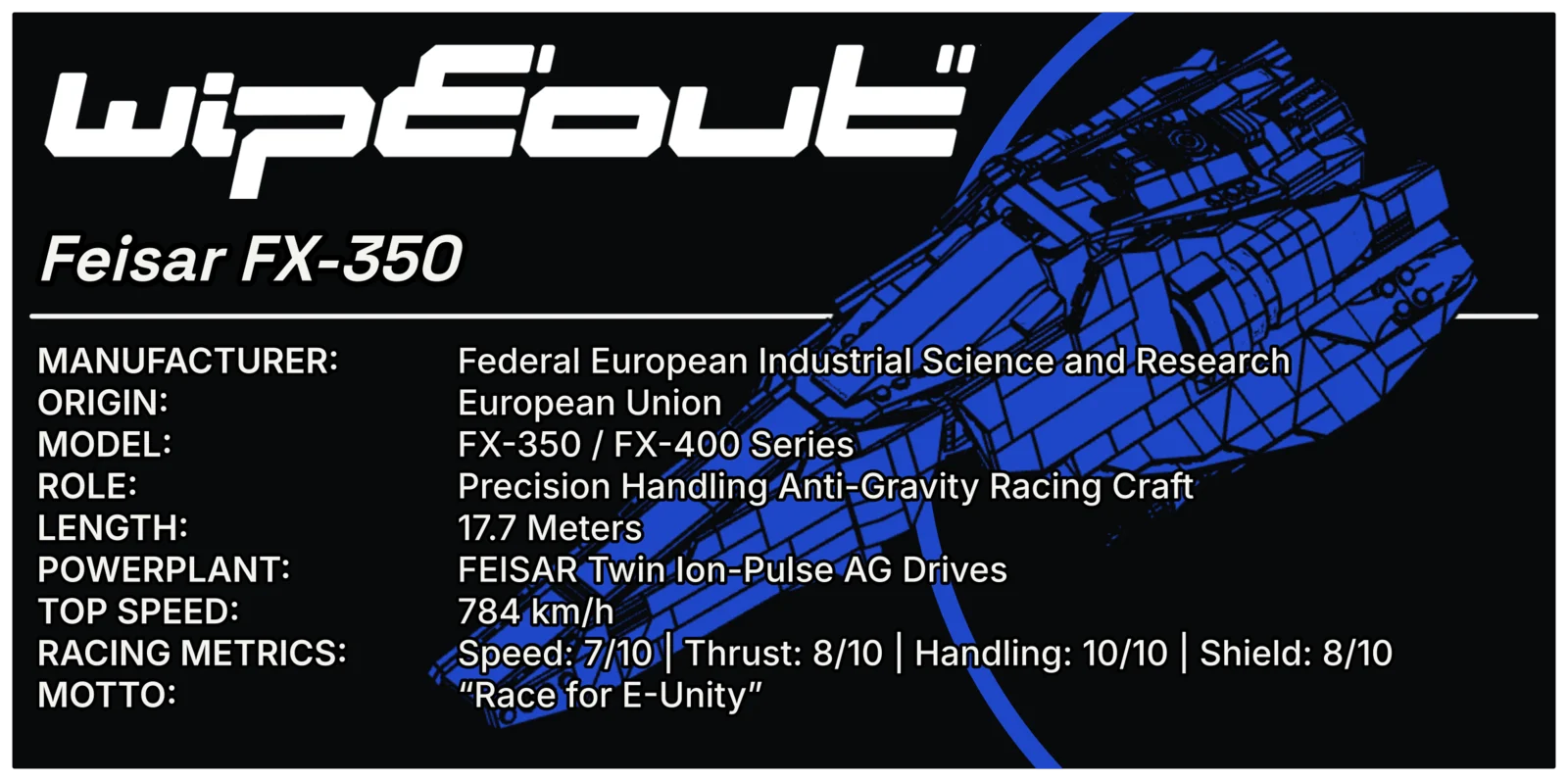
Stop guessing sizes in a design app.
Making a plate by hand means measuring the tile, guessing font sizes, finding a picture of your model that looks right, and printing test after test until it fits.
BrickRender starts from your model. It knows the tile's size to a fraction of a millimetre, draws the model for you and fills in the stats, so the first print is the one you keep.
Designed at real size
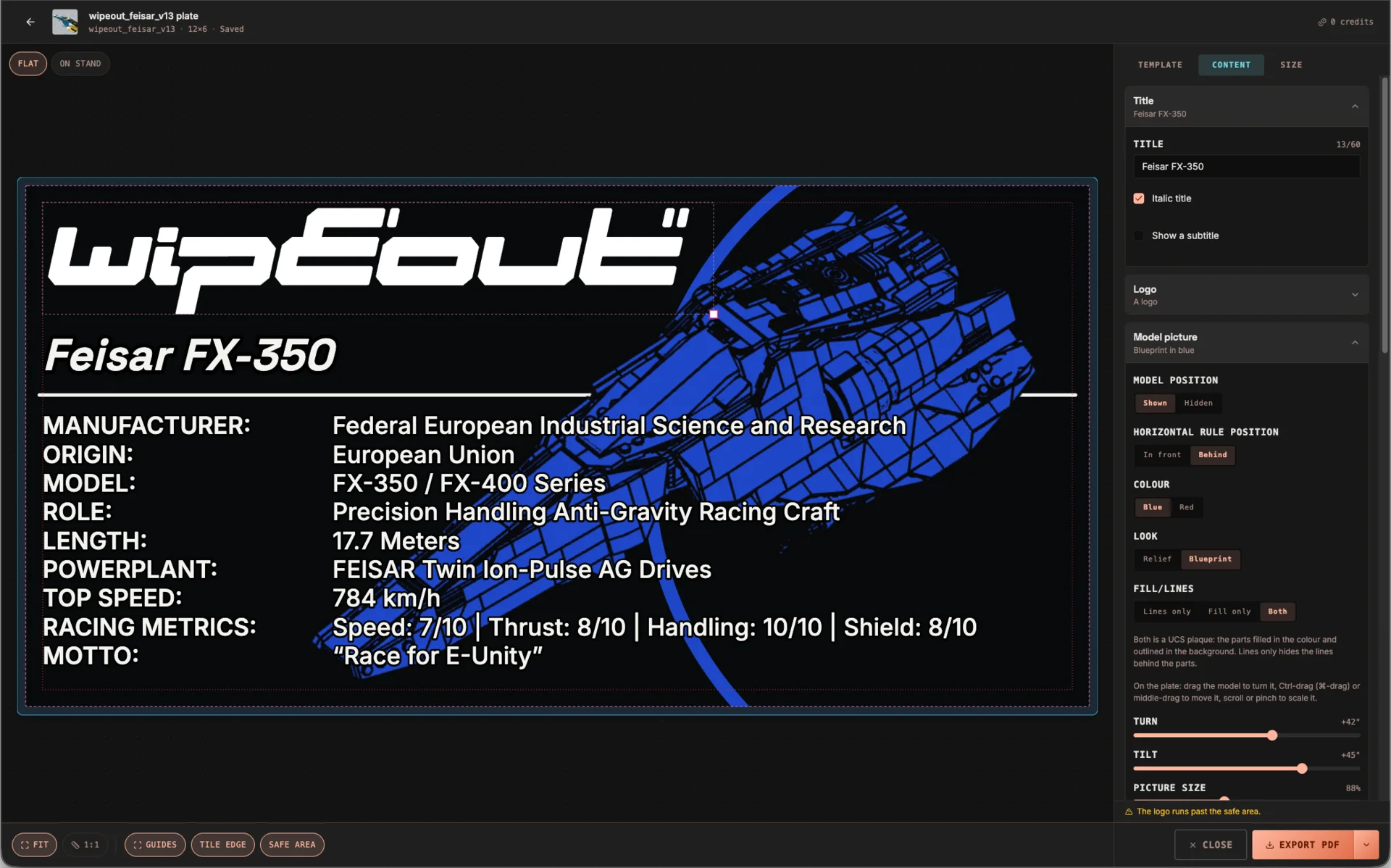
Pick the tile it goes on, from 4×8 to 8×16 studs, either way round. The editor shows the cut line and warns you before text gets too small to print.
Your model, drawn for the plate
BrickRender draws your own model in flat colour with crisp outlines, the way the big collector plates do. Drag to turn it, scroll to size it.
The stats, filled in for you
Pieces, unique parts, colours, size, designer and year come straight from your model. Add your own rows for anything else.
Ready to print
A sticker sheet PDF on A4 or Letter, with crop marks, or a PNG for BrickLink Studio's Part Designer.
The editor
Flat to design it. On the stand to check it.
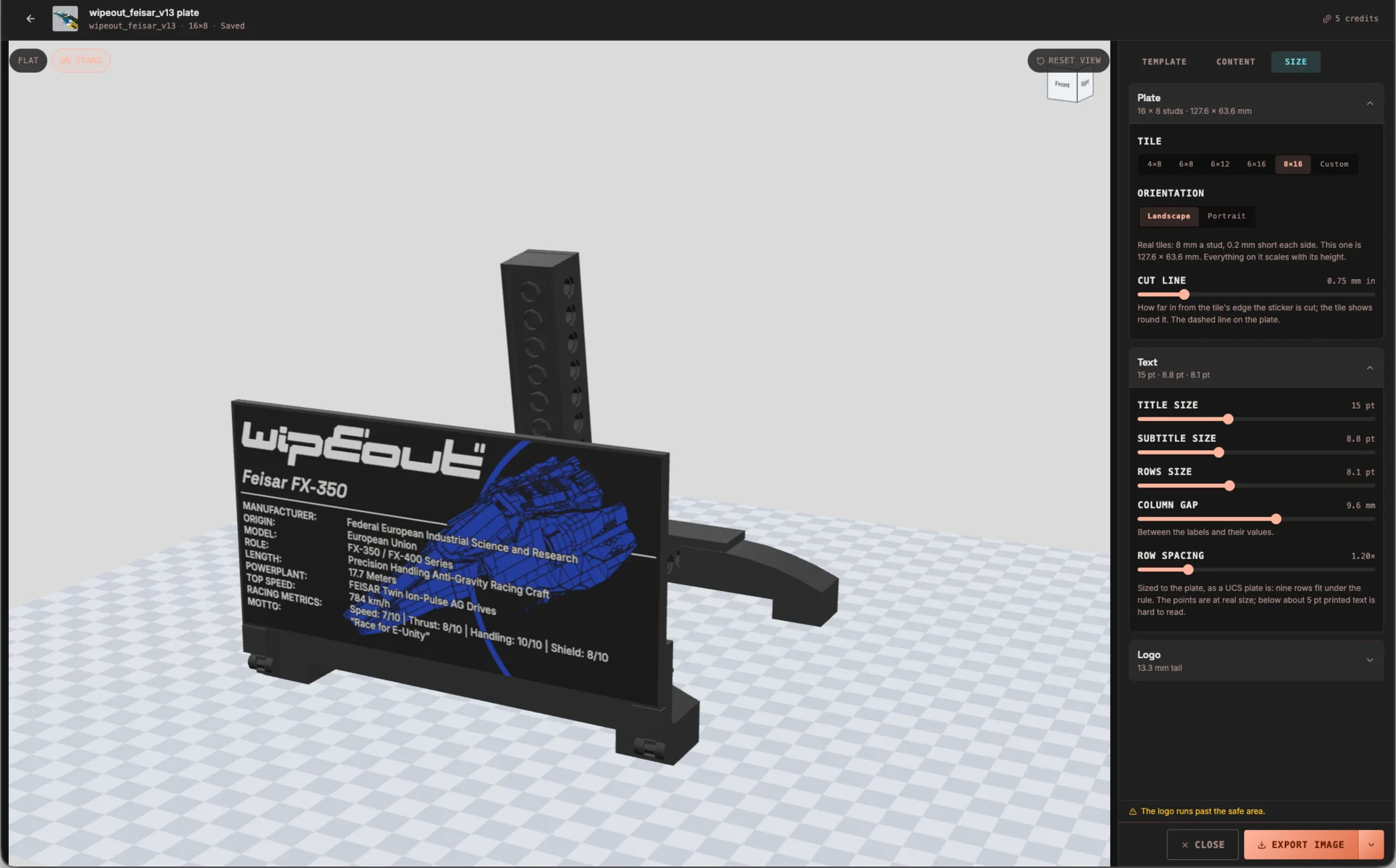
Work on the plate flat, at the size it prints, then see it in 3D on the tile of a display stand. The stand is a free design you can download from the editor.
The model's picture
Drawn from your model, not a photo.
Relief shades your model in flat steps of one colour, with a light you can move. Blueprint draws every brick with a heavy outline, filled or as lines alone. Either way it is your own model, posed however you like, and it prints sharp.
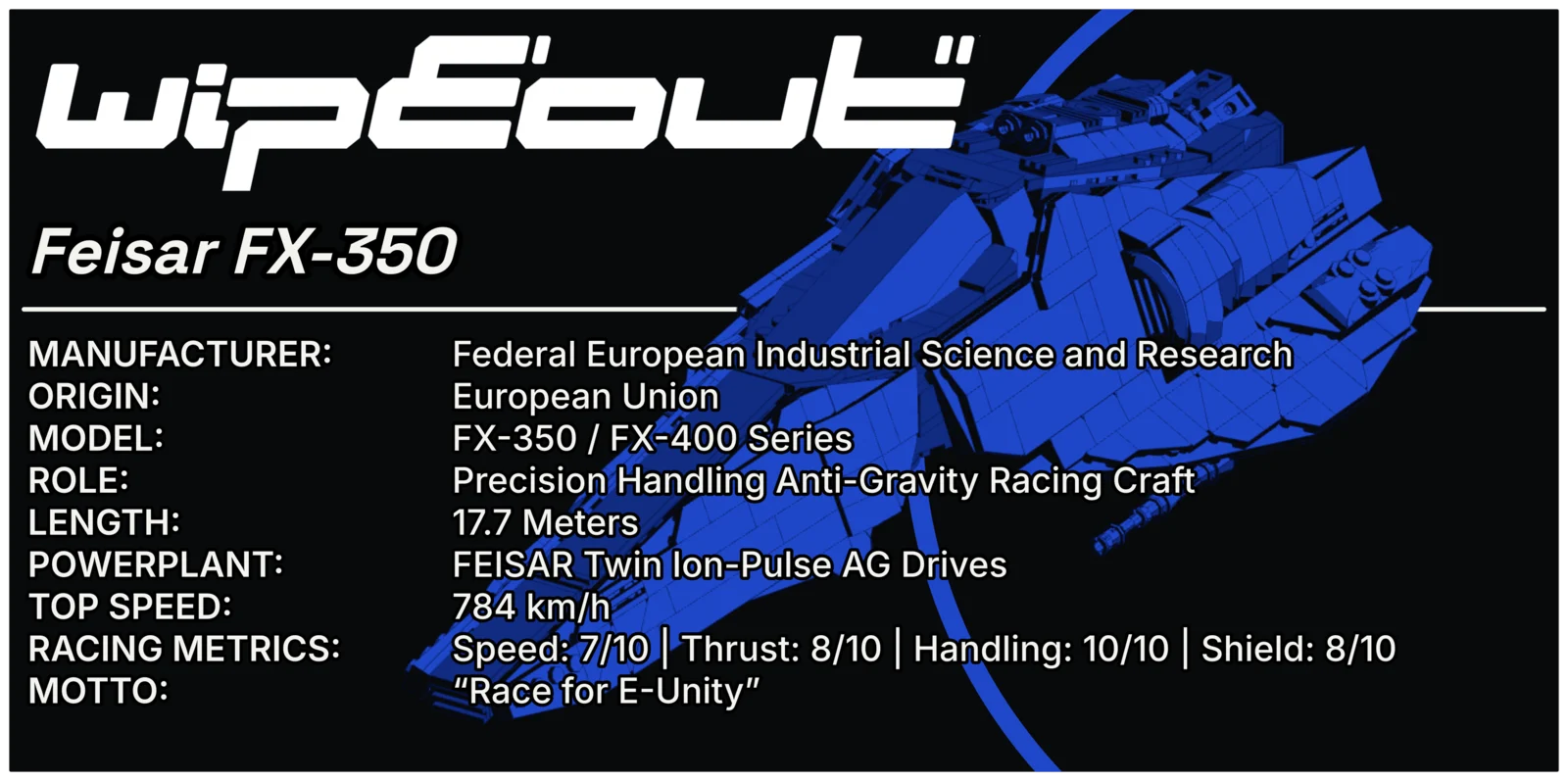
Relief
Blueprint
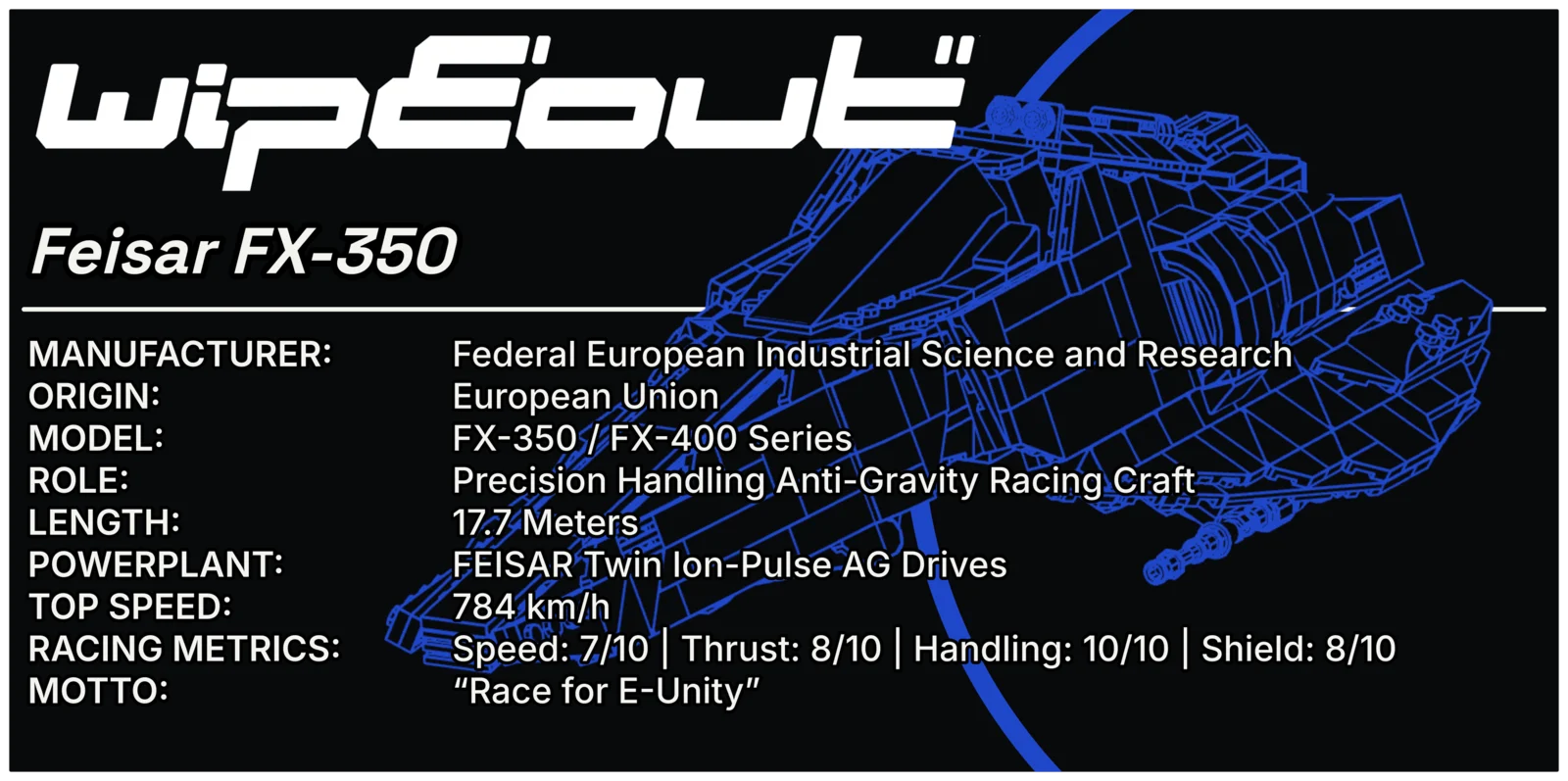
Blueprint, lines only
Make it yours
Change anything, right on the plate.
Click any text on the plate to type over it. Drag the logo, the model and the circles where you want them. Every change is saved as you go.
- 01Title, subtitle and your own logo
- 02Italic or upright title
- 03Up to 10 rows of stats, in any order
- 04Labels in capitals, or not
- 05Classic, Light, Slate colours
- 06The model in blue or red, turned and sized by dragging
- 07In Blueprint, the model filled, outlined, or both
- 08The rule in front of the model or behind it
- 09Circles behind the model, moved and sized by dragging
- 10A rounded border round the sticker
Print it, cut it, stick it on.
The PDF lays out as many copies as you want on A4 or Letter, at real size, with crop marks and a bleed, so a slightly off cut still looks clean. Or export a PNG and make the plate a printed tile in Part Designer. Designing is free; exporting spends credits, and exporting the same design again costs nothing.
Questions about plates
What is a display plate?
The printed plaque on the front of a model's display stand, with its name, a picture of the model and its stats, in the style of LEGO's big collector sets. BrickRender lays one out at the real size of the tile it goes on, so it fits first time.
How do I print a plate?
Export a PDF: copies of the sticker at real size on A4 or Letter, with crop marks and a bleed, ready for sticker paper. Cut along the marks and stick it on the tile.
Or export a PNG of the tile's face, at the resolution BrickLink Studio's Part Designer asks for, to make the plate a printed tile in your Studio model.
Can I put my own logo on a plate?
Yes. Upload a PNG, SVG, WebP or JPEG up to 2 MB. A PNG with a transparent background stays transparent. Use a logo you have the right to print: your own, or your club's.
What does a plate cost?
Designing one is free. Exporting it to print spends credits, as on the pricing page, and exporting the same design again costs nothing.
Give your MOC the plate it deserves.
Display plates, renders, animations and instruction books from one Studio file. Start free, with credits to try it.
Loading…