
Socials
Show the build. Without filming it.
Pick a template and BrickRender makes a ready-to-post video of your model. It builds itself brick by brick, runs through every look, or starts as a blueprint and turns photoreal.
Sign up with Google or email · Free credits to start · Nothing to install
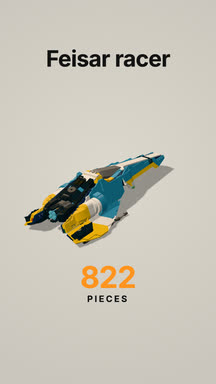
Speed Build
20s
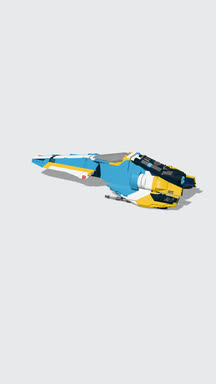
Look Swap
17s
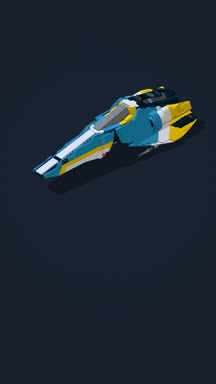
Blueprint to Brick
25s
Posting a build shouldn't take a weekend.
A good build video usually means a turntable, lights, a phone on a tripod, then hours in a video editor. Or a screen recording of Studio that never looks quite right.
BrickRender makes the video from your model file. You choose the template and the words; the camera, the timing and the render are done for you.
7 templates
Speed builds, look swaps, blueprint reveals and camera flights, each timed and cut for social. Pick one and your model is in it.
All 6 looks
Photoreal, instruction manual, blueprint and the rest, the same looks as your stills. Some templates run through several in one video.
Your name on it
The model's name, a line crediting its designer, and a call to action with your Instagram handle, a link or a QR code, so people know where to find you.
Every format
9:16, 4:5, 1:1, 16:9: the same template fits Reels, TikTok, Shorts, a feed post or YouTube.
The templates
Every template, made from one model.
Each one below is the template itself, made from a free MOC, with its length in 9:16.
Speed Build
20s
The whole model builds itself in seconds, with a piece counter ticking up.
Look Swap
17s
One camera move through all six looks, photoreal to patent drawing.
Blueprint to Brick
25s
Sketched as a blueprint from four sides, then wiped to photoreal.
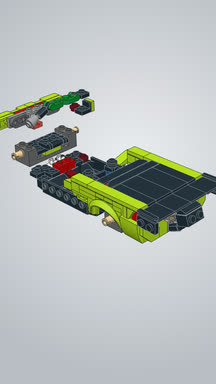
Instructions reel
24s
Your booklet's cover builds into the model, then the pages riffle.

Floor Build
35s
The pieces lie on the floor round the model, and it builds itself from the ground up.
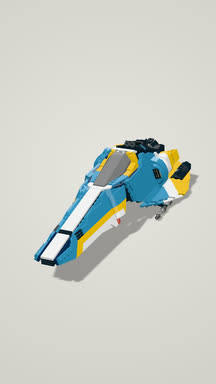
Build Animation
45s
The model builds itself submodel by submodel, with your own camera at every keyframe.
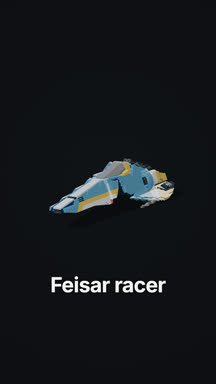
Speed Ramp
12s
Your own camera moves round the finished model, the speed ramping between keyframes.
Formats
One template, every place you post.
Choose the format before you render and the template is laid out for that shape: the model, the words and the end card all fit the frame.
9:16
Reels, TikTok, Shorts
4:5
Instagram and Facebook feeds
1:1
Any feed
16:9
YouTube and the web
From model to post in four steps.
- 01
Pick a template
From the gallery. Each one plays an example of itself.
- 02
Pick your model
Any model you have uploaded. The Instructions reel uses its instruction book too.
- 03
Make it yours
The name, the format, light or dark, your call to action. Preview it as you go.
- 04
Render and post
It renders in the cloud. Download the MP4 and post it.
Questions about Socials
What are Socials?
Short videos of your model, made from a template and ready to post: it builds itself, runs through all six looks, or starts as a blueprint and turns photoreal. Pick a template, adjust it in the browser, and download an MP4. There is nothing to film and nothing to edit.
Which sizes do Socials come in?
9:16 for Reels, TikTok and Shorts, 4:5 and 1:1 for feeds, and 16:9 for YouTube. Every template comes in all four, so you can make the same video for each place you post.
What does a Socials video need?
Just your model. The one exception is the Instructions reel, which is made from your instruction book, so lay that out first.
Post your builds, not your weekends.
Social videos, renders, animations and instruction books from one Studio file. Start free, with credits to try it.
Loading…